Billing app for your shop.
Make bills, keep stock and track udhaar on your phone. Send bills on WhatsApp. Works without internet.
Dukaan ka poora hisaab, ab phone par.
Free to start · No sign-up · Android, iPhone and computer
On a computer?
Scan with your phone camera to open MiniNexora on your phone.
Made for the shop counter
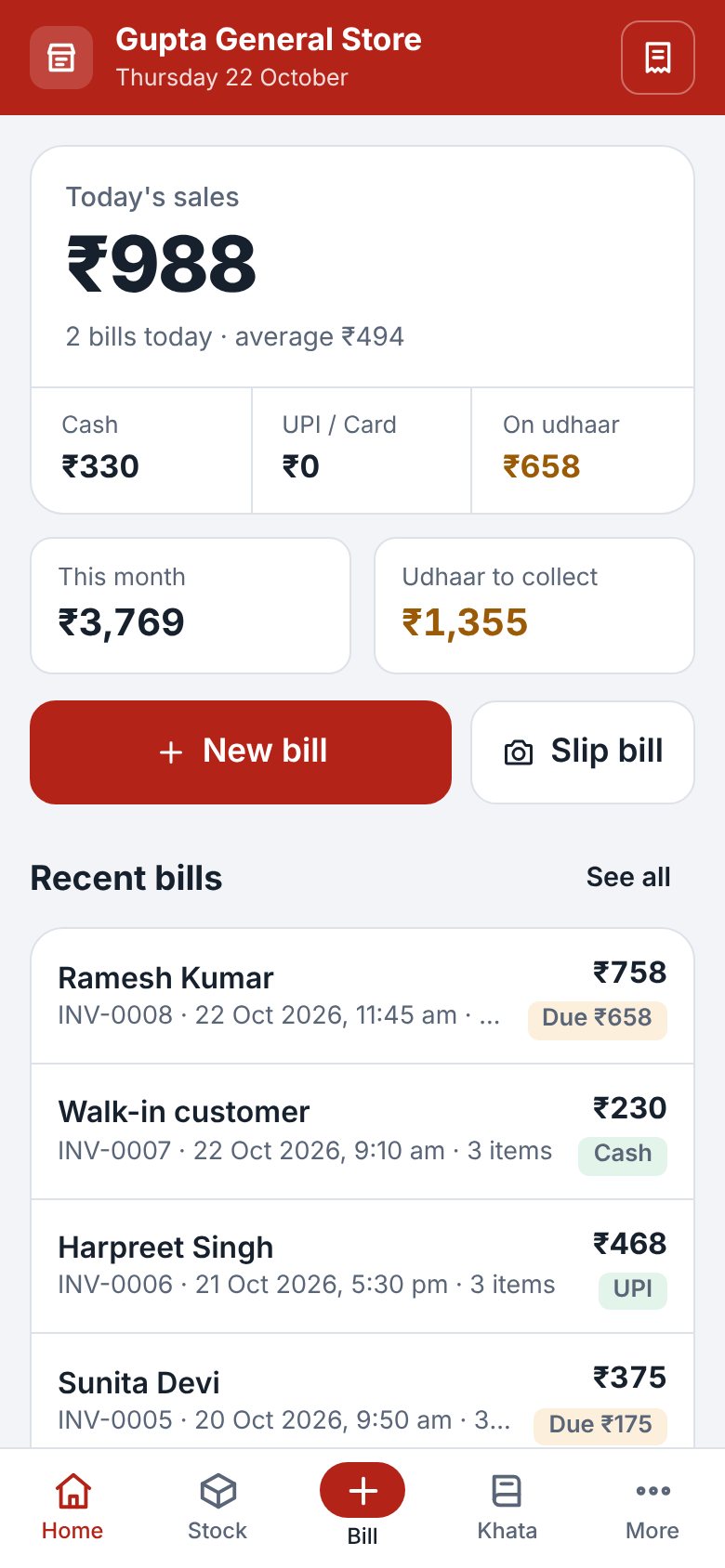
Everything a kirana, hardware, medical or general store needs every day. Simple enough for anyone at the counter.
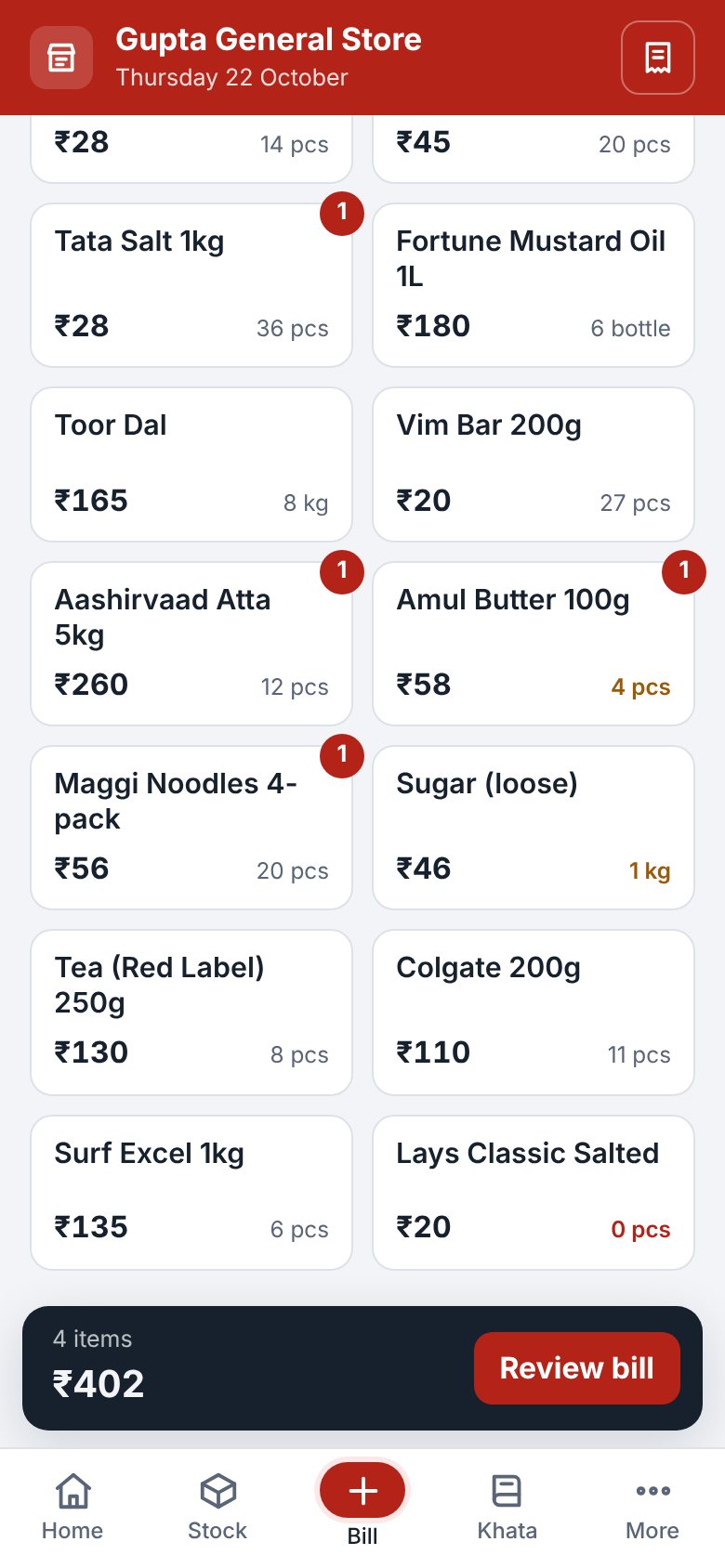
Bills in seconds
Tap items, change quantity, take cash, UPI or card. Print on a thermal printer or send on WhatsApp.
Slip bill
Wrote the bill by hand? Take a photo, type the total, and send it to the customer on WhatsApp.
Khata and udhaar
See who owes how much. Record payments and send a polite WhatsApp reminder with your UPI QR.
Stock that counts itself
Stock goes down with every sale. Items running low show on the home screen. Works with barcode scanners.
GST and reports
Tax invoices with CGST and SGST, daily and monthly sales, profit, top items, and Excel export.
Works without internet
Bill all day even when the net is down. Your data stays on your own phone, with one-tap backup.
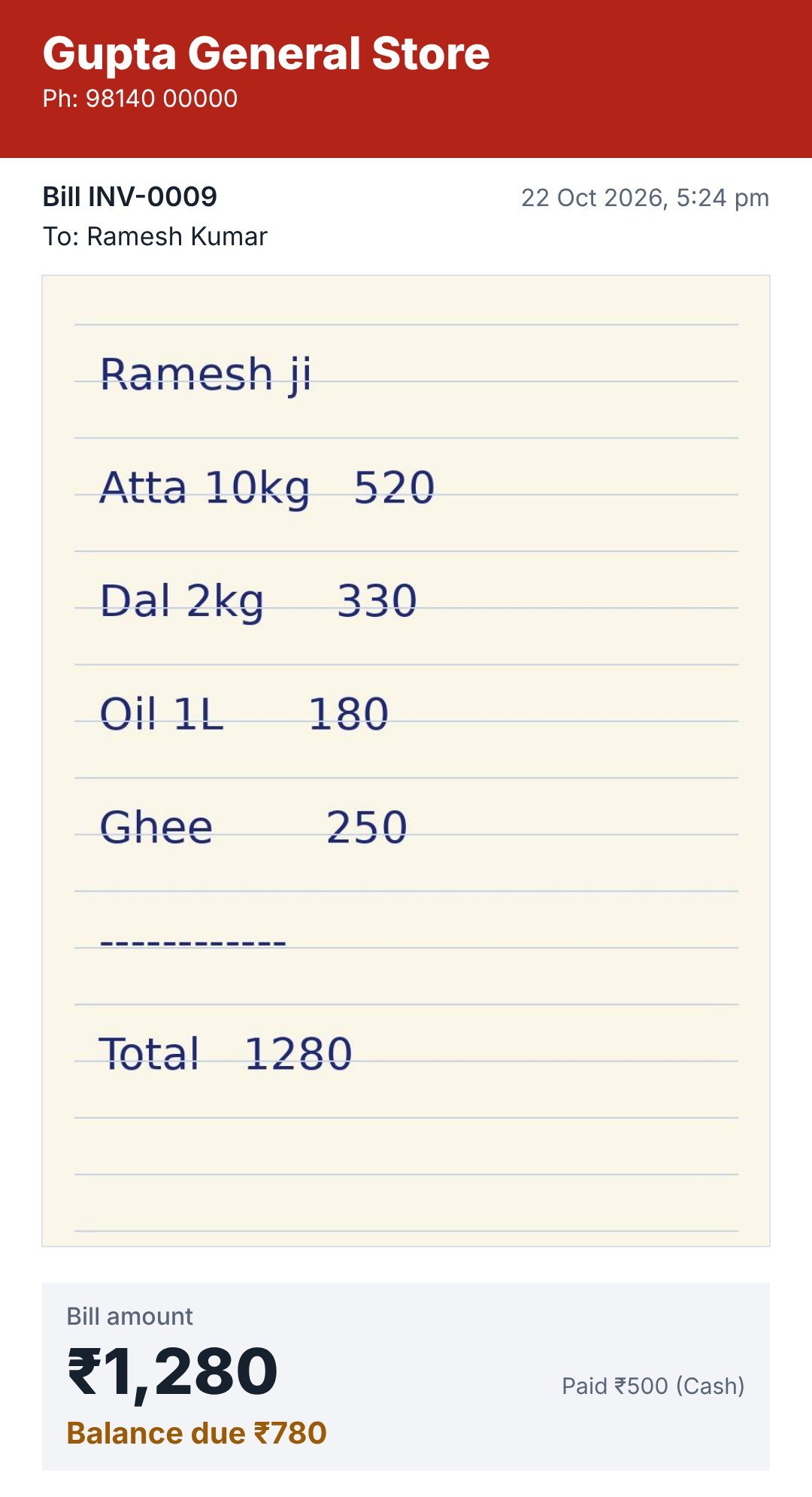
Handwritten slip? Send it on WhatsApp.
Many shops still write bills on paper. MiniNexora turns that slip into a clean picture for your customer, with the amount, balance and a UPI QR to pay.
- Take a photo of the slipRight from the app.
- Type only the totalNo items, no rates. Mark it paid, UPI or udhaar.
- Tap Share slipPick the customer's WhatsApp chat. Done.
Two or three counters? One shop.
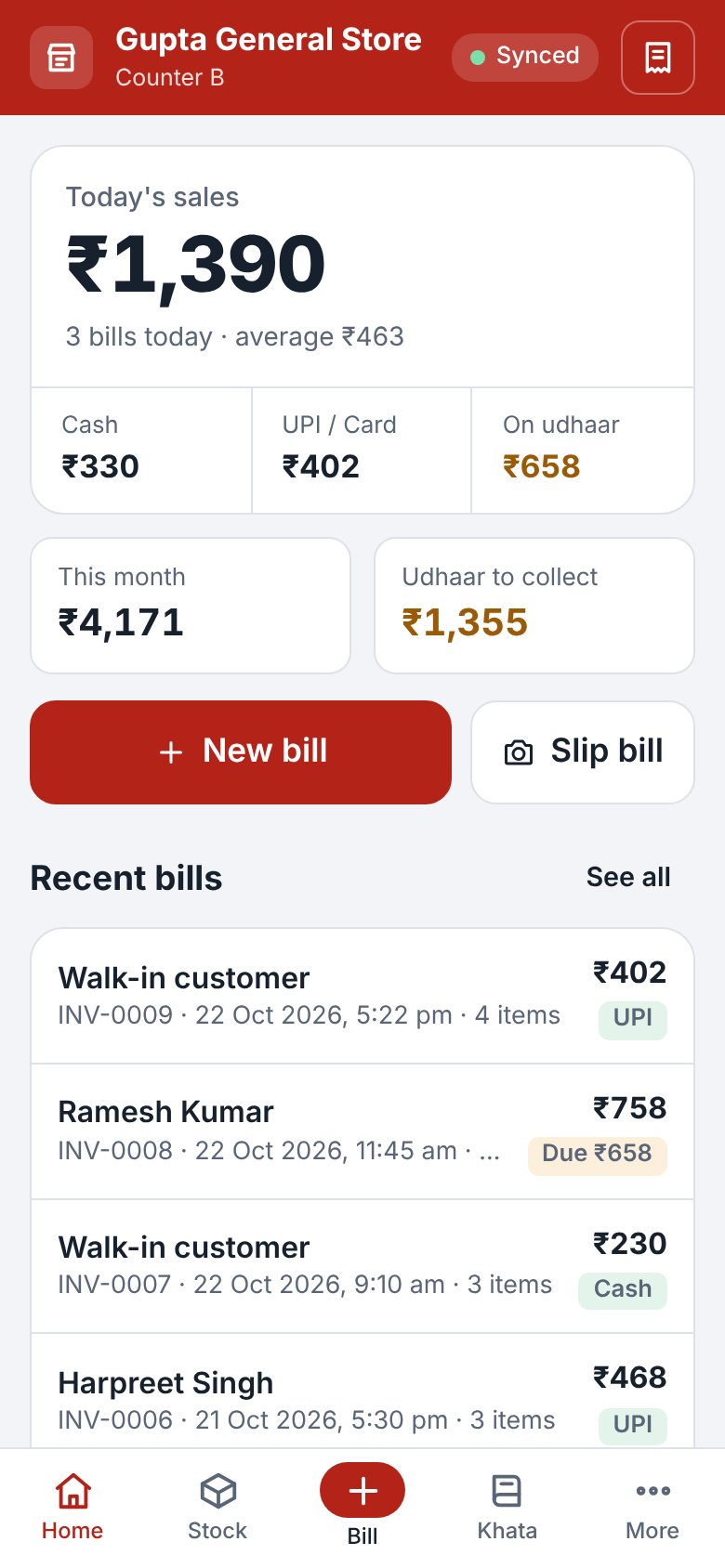
Connect every counter to your own free Google Sheet. Bills, stock and khata stay the same on all of them.
- Sale on counter B reduces stock on counter A too
- Separate bill numbers for each counter, so they never clash
- Counters keep billing offline and catch up later
- See sales for each counter in Reports
See it on a phone
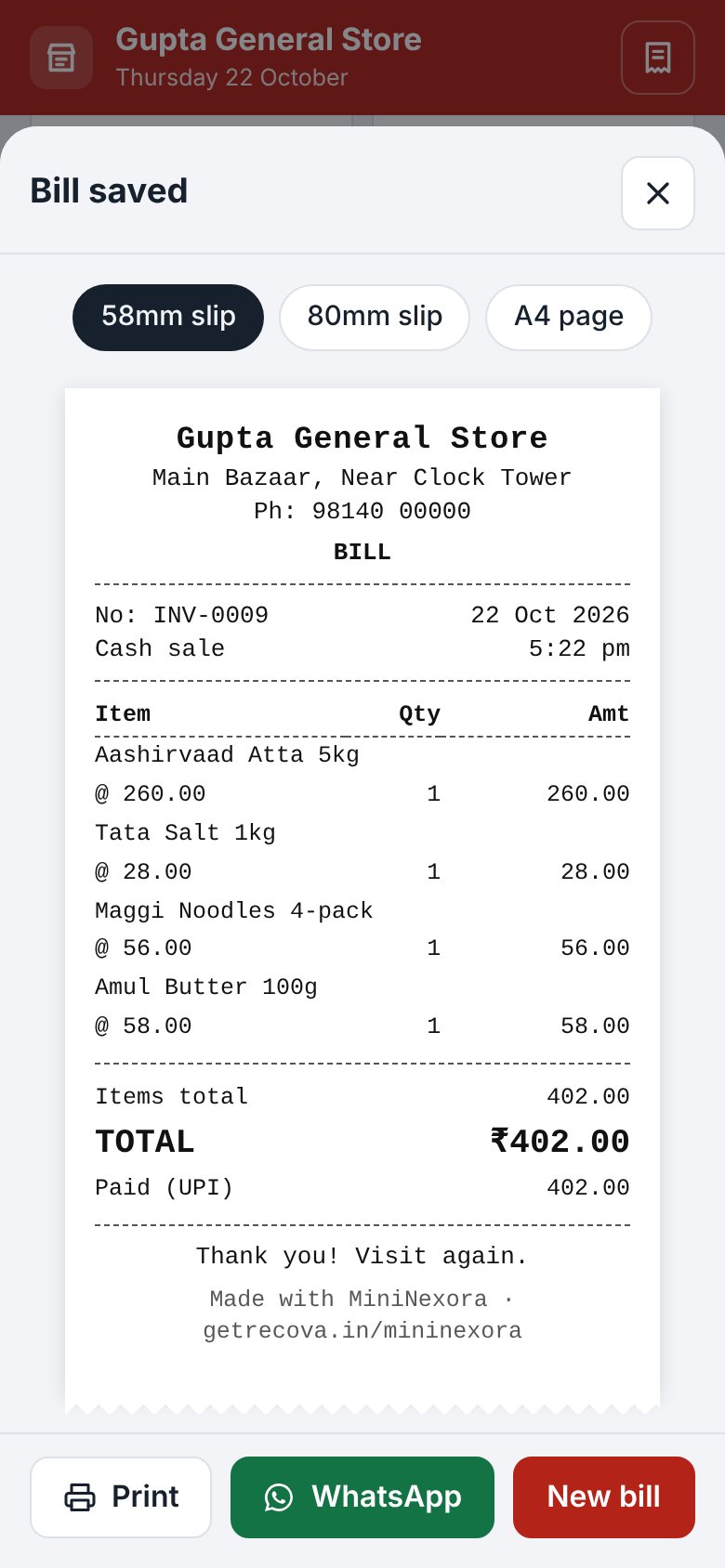
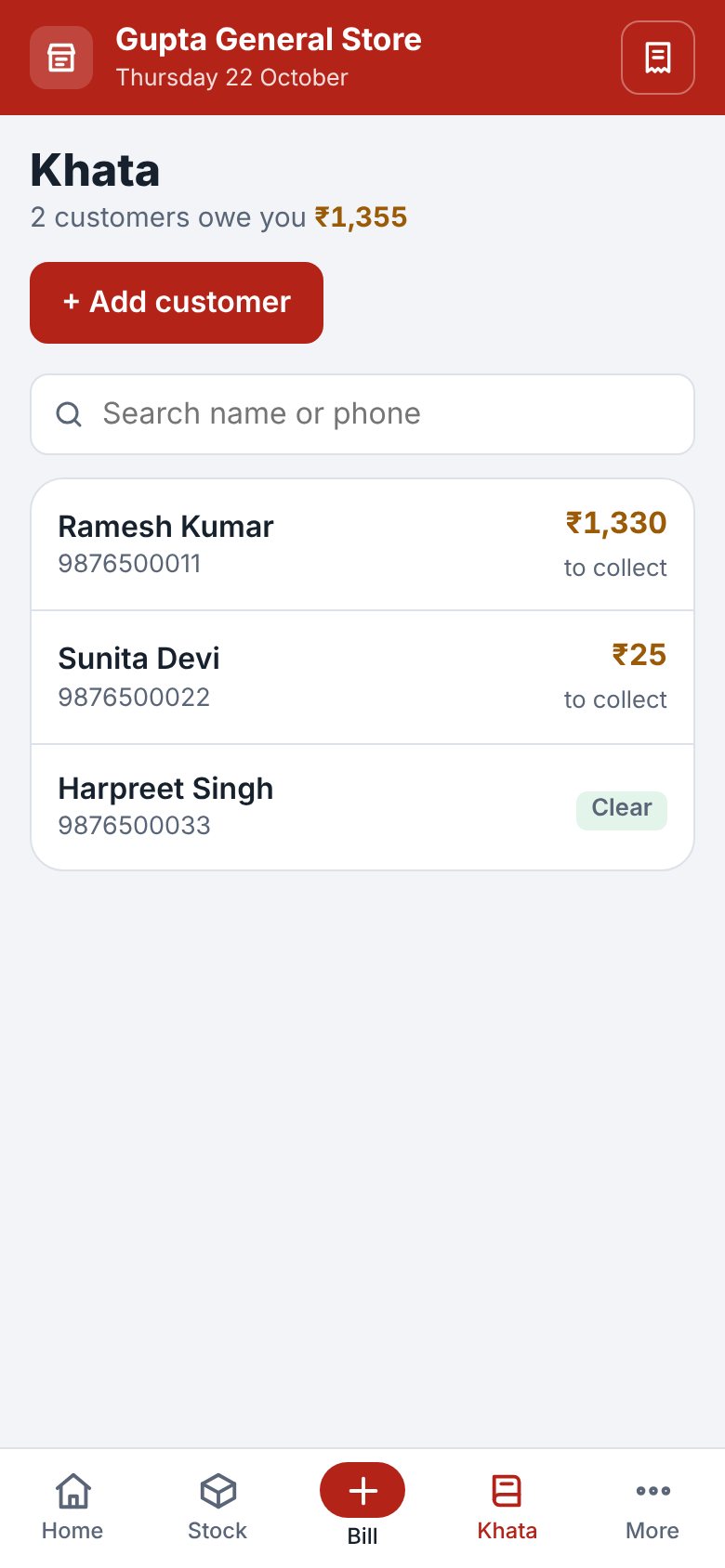
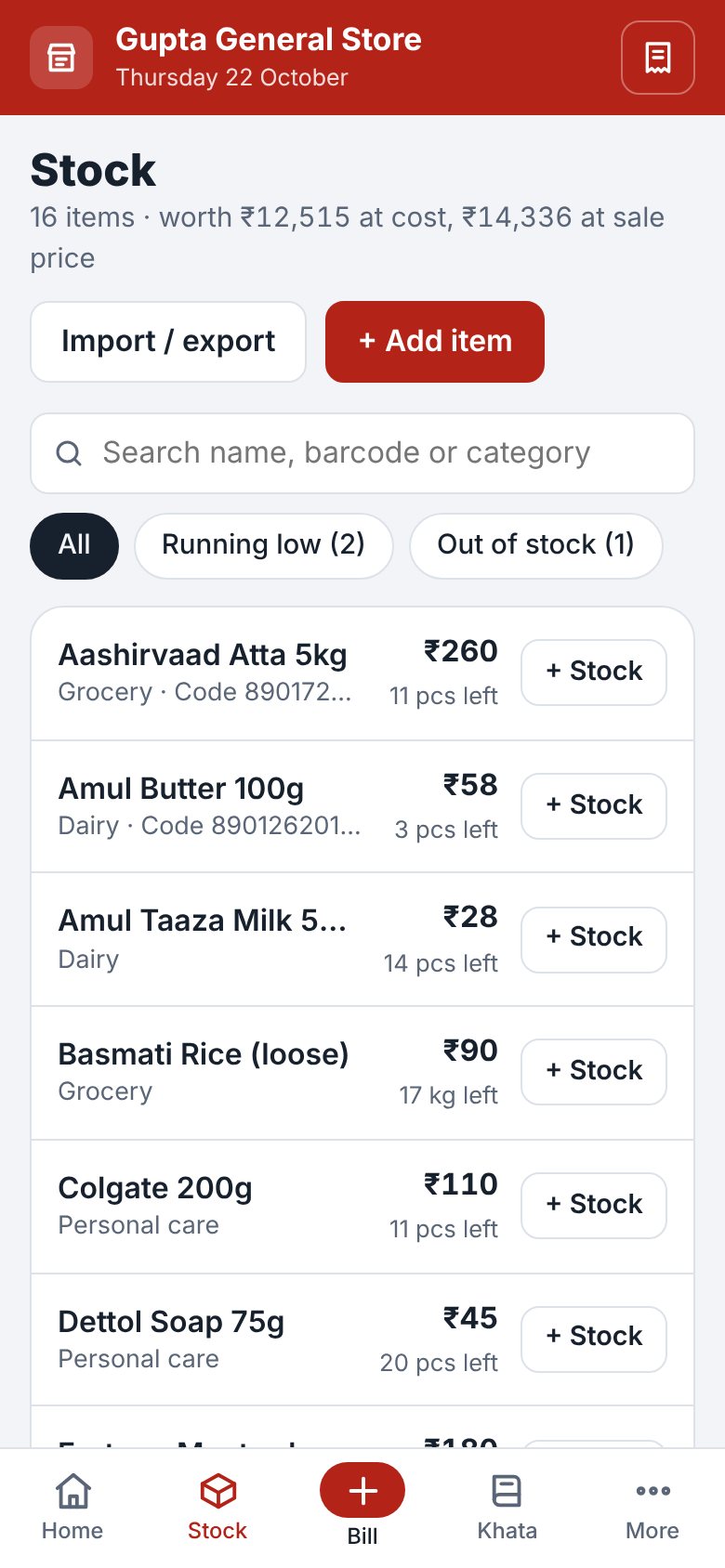
Free to start. Pro when you grow.
Every feature is in the free plan. Pro removes the daily limits.
Free
- All features: billing, slip bill, stock, khata, GST, reports
- WhatsApp bills and printing
- More counters with Google Sheet
- Up to 25 bills a day
- Up to 20 khata customers
- Bills show “Made with MiniNexora”
Pro
or ₹999 a year, save ₹789
- Unlimited bills every day
- Unlimited khata customers
- Your bills, without the MiniNexora line
- One plan covers all counters of your shop
- Help on WhatsApp
Questions shopkeepers ask
Is it really free?
Yes. The free plan has every feature and no time limit. It allows 25 bills a day and 20 khata customers. Pro is only for shops that need more.
How do I install it?
Open mininexora.getrecova.in/app in Chrome on your Android phone, tap the three-dot menu and choose “Install app”. On iPhone, open it in Safari, tap Share, then “Add to Home Screen”. No Play Store download and no login needed.
Do I need internet?
Only the first time you open it. After that, billing, stock and khata work without internet. Internet is needed to send WhatsApp messages and to sync counters.
Where is my data kept?
On your own phone or computer. We do not see your bills. Take a backup from Settings every week and keep it on WhatsApp or Google Drive. If you connect counters, a copy also goes to your own Google Sheet.
Which printer works?
58mm and 80mm thermal printers and normal A4 printers. On a computer, choose the printer when you print. On Android with a Bluetooth printer, install a print app such as RawBT, then print from MiniNexora. Ask us on WhatsApp before you buy a printer.
What happens when Pro ends?
Nothing is deleted. The free limits come back on until you renew. We send a reminder on WhatsApp before it ends.
I changed my phone. What now?
Install MiniNexora on the new phone and choose Settings, then Restore from backup. Your Pro key works again as long as the shop phone number in Settings stays the same.
Start billing today. It's free.
Open MiniNexora on your phone and make your first bill in a minute.